

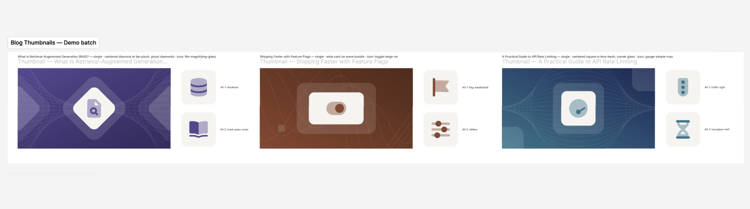
Every blog post needs a thumbnail. For a team publishing every week, that small task adds up. The usual options each have a catch. A designer can build every image by hand, but then the designer becomes the bottleneck. Templates are fast, but after a few months every post looks the same. AI image generators are faster still, but what they produce is off-brand, inconsistent, and impossible to edit.
We wanted to know if there was a fourth option: AI that works inside an existing design system instead of inventing its own.
The challenge
Our client, a B2B tech company with a well-established blog, already had a distinctive visual language: two-tone gradients, frosted-glass shapes, fine line patterns, and duotone icons. A set of nine approved thumbnails defined the standard.The goal was simple to say and hard to pull off: let anyone on the marketing team produce new thumbnails that look like they belong next to those nine, without starting from a blank design file.
Our Approach: Real design layers, not generated images
Instead of asking AI to draw a thumbnail, we had it build one. Using Claude Code connected to Figma, every thumbnail is assembled from real, editable layers inside the client’s own Figma file: gradients, shapes, line patterns and icons.
That choice influenced everything else:
- Designers stay in control. Every element can be adjusted, swapped or deleted like any other Figma design.
- On-brand by construction. The building blocks come straight from the client’s own design resources, so there’s nothing to “match”.
- No new tool to learn. The thumbnails land in the Figma file the team already uses.
The Figma file stays the source of truth. Claude copies from the templates and references, and is never allowed to change them.
What we built
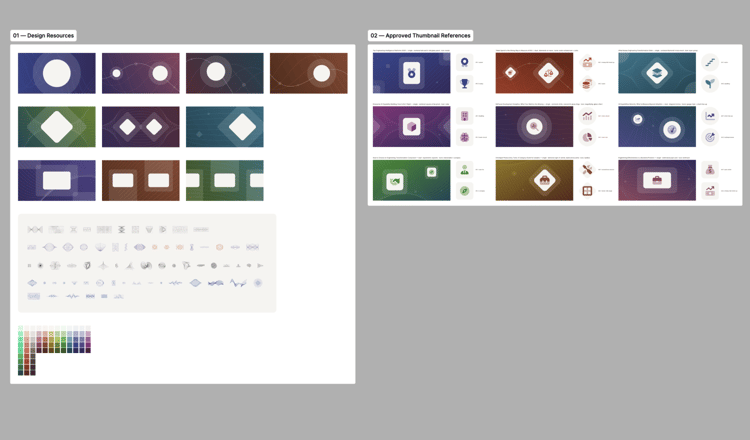
A starter Figma file with two parts: the design resources (line-pattern templates, a library of small line illustrations, and the approved color palette) and the nine approved reference thumbnails.
A rules file that turns design taste into instructions. This was the heart of the project. Good design judgment is usually unspoken, so we wrote it down. The guiding principle is clean always beats clever, backed by specific rules.
-
Exactly two colors per gradient, running diagonally and never straight top-to-bottom.
-
Icons in a single mid-dark tone from the background’s color family, never the darkest.
-
Glass shapes either sit clearly inside the frame or bleed well past it, never just touching the edge.
-
Extra decoration only when the composition genuinely needs it.
An icon pipeline. Icons come from Font Awesome Pro’s duotone set through its command-line tool, and are recolored to match each background automatically.
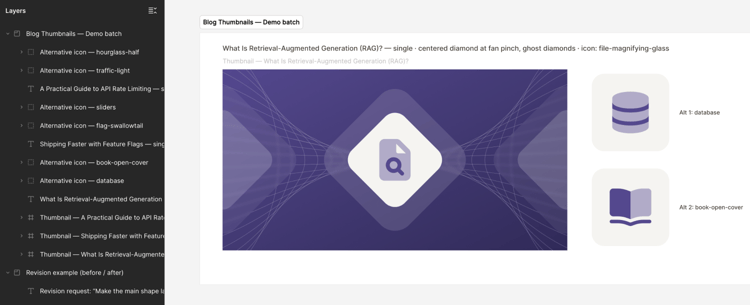
A consistent output. Each post gets a 1200 × 630 thumbnail, two alternative icons ready to drag in, a caption describing the layout, and clearly named layers so anyone can find their way around.
How it works day to day
The team pastes in a few blog titles, or just the links. Claude reads each post, pulls out the core idea, and plans the batch as a set. Each post gets a different shape, line pattern and color family, so the batch looks varied but clearly related.
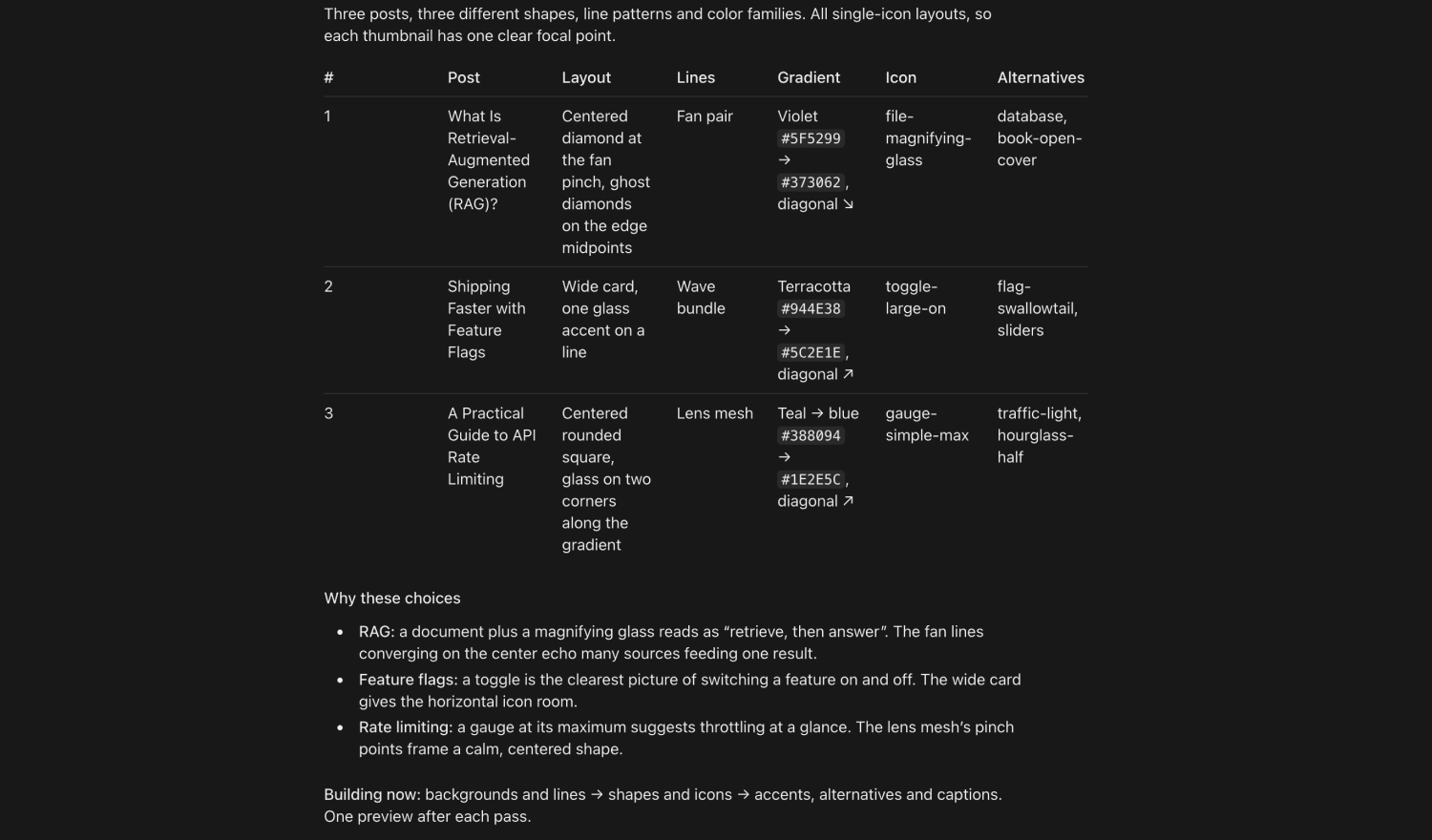
Then Claude builds the batch in three passes:
- backgrounds and line patterns
- shapes and icons
- finishing touches, alternatives and captions
It checks every thumbnail against a review checklist covering balance, edge spacing, icon size and gradient rules, then reports back what it made.
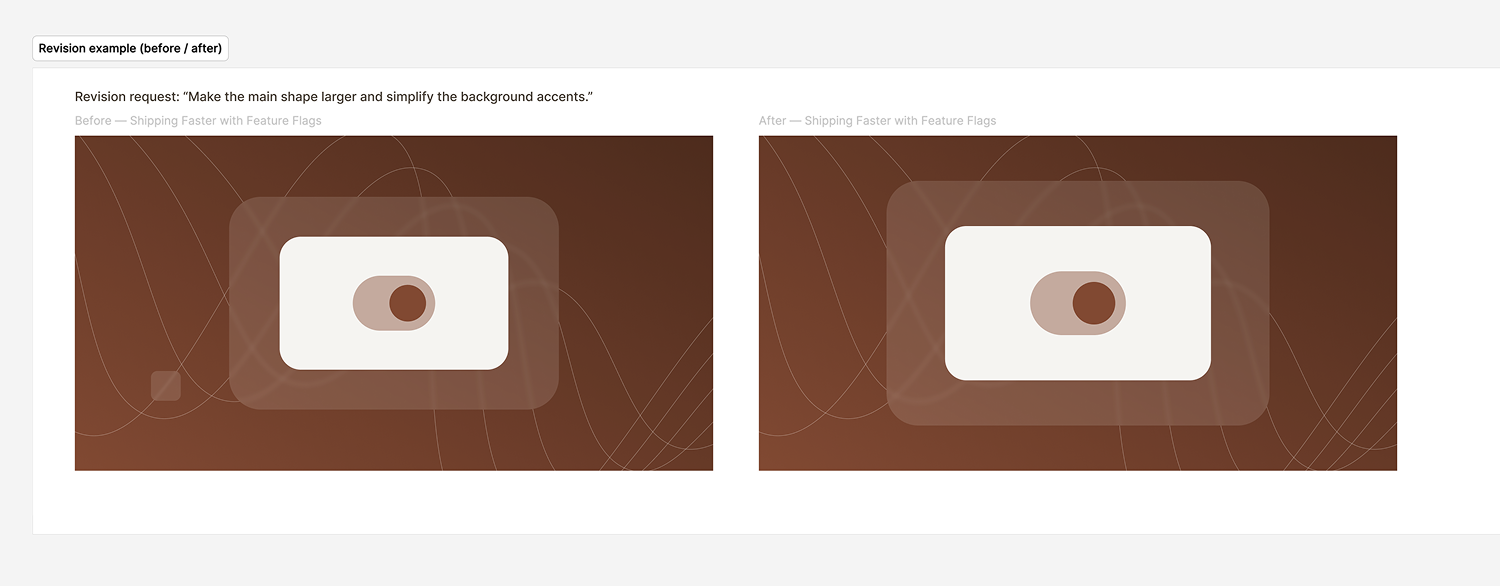
Revisions are plain-English requests: “For this one, make the main shape larger and simplify the background accents.”
Testing it like a client would
Before handing it over, we ran the full setup from scratch, exactly as a first-time user would. It paid off. We found:
-
Sign-in steps for the icon service that were easy to get wrong, including how to confirm the account had the right plan.
-
A pattern name in the rules that didn’t match the name in the Figma file.
-
Two Figma connections showing up at once, which would have confused a new user.
-
A setup step that depended on an outside documentation page.
All four were fixed before handoff. The lesson: write the guide from a real first run, not from memory.
Making it less expensive to run
Every AI session has a cost, and a workflow that re-learns everything each time gets expensive fast. Our review of the first version found:
- Claude was re-studying the entire Figma file at the start of every session.
- A single request for the full file returned about 234,000 characters of data.
- The icon tool’s output was long, and mostly irrelevant.
- Claude was taking a screenshot after every step of every thumbnail.
So we restructured it. One-time setup now lives in its own file and only runs once. What Claude learns about the design system is saved in a notes file, so it never has to re-study it. The big file request became a small, targeted lookup. Tool output is filtered to what matters. Screenshots dropped from roughly 18 per three-post batch to 3.
Now everyday sessions go straight from prompt to building.
Handoff and guardrails
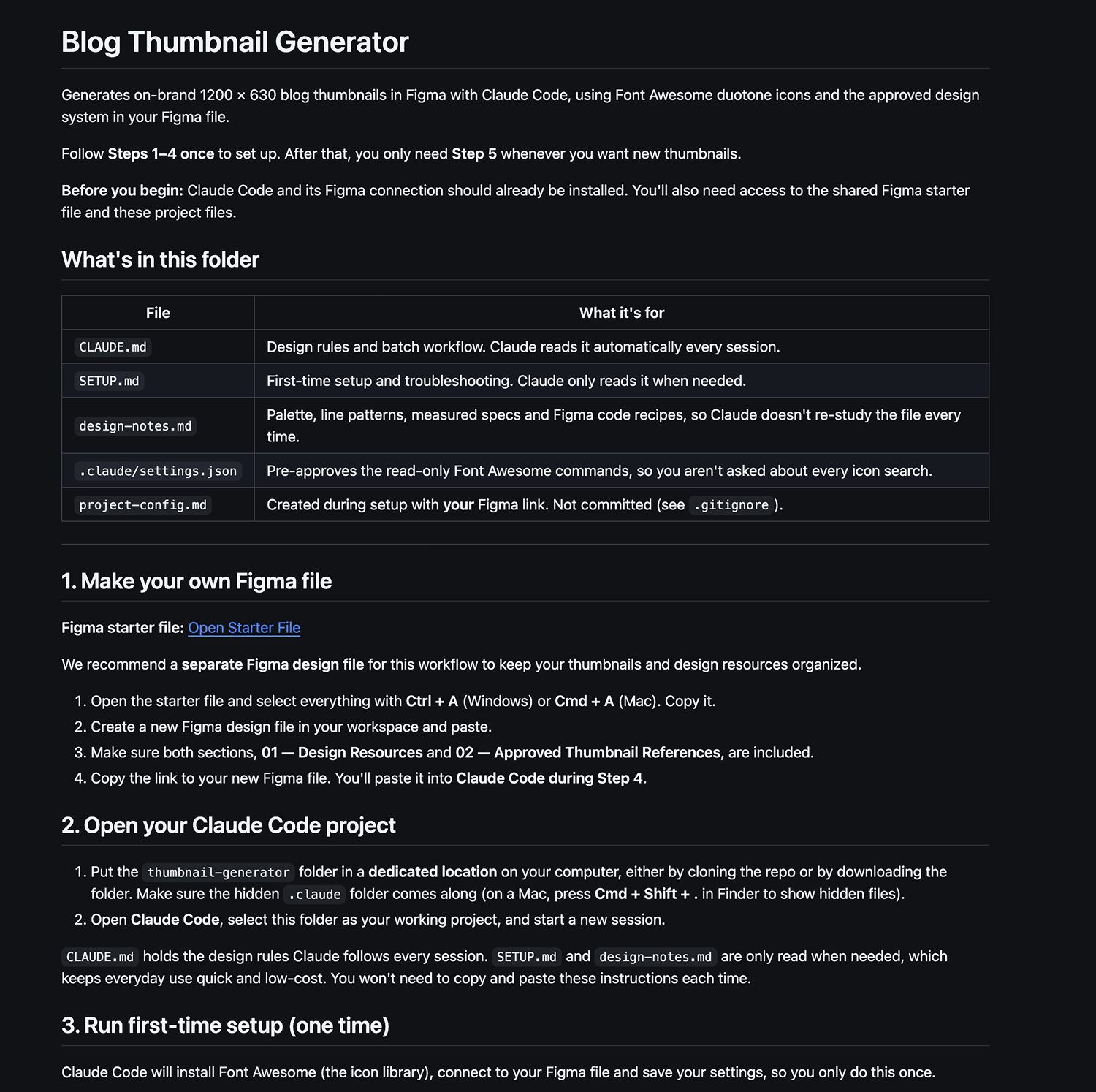
We delivered everything as a private GitHub repository, with a README that doubles as the client’s step-by-step guide. Each person’s own settings, like the link to their Figma file, stay on their computer and are never shared in the repo.
The guardrails are built in:
-
Claude never modifies the design resources or the approved references.
-
Claude never enters passwords or signs in on anyone’s behalf. The client always signs in themselves.
-
Safe, read-only commands are approved in advance, so there are fewer interruptions.
The results
The marketing team can now produce a batch of editable, on-brand thumbnails in minutes, each with alternatives to choose from. The designer’s role shifts from building every image to reviewing and refining.
What carries over
- Turn taste into rules.Explicit rules plus approved examples beat vague style guides.
- Keep the source of truth in the design tool. AI should copy from the system, not replace it.
- Separate setup from daily use. What you do once shouldn’t cost you every time.
- Test as the end user. The first real run always finds something.
- Design for cost, not just output. A workflow nobody can afford to run isn’t a workflow.
Want this for your team?
We build these workflows as a service:
- a review of your visual system
- a starter Figma file with your design resources and approved references
- custom rules and workflow
- setup on your own accounts
- a test batch
- handoff with a guide, plus a training session
The same approach works for more than blog thumbnails: social cards, event graphics, email headers, slide covers and ad variations.
Discover More Insights
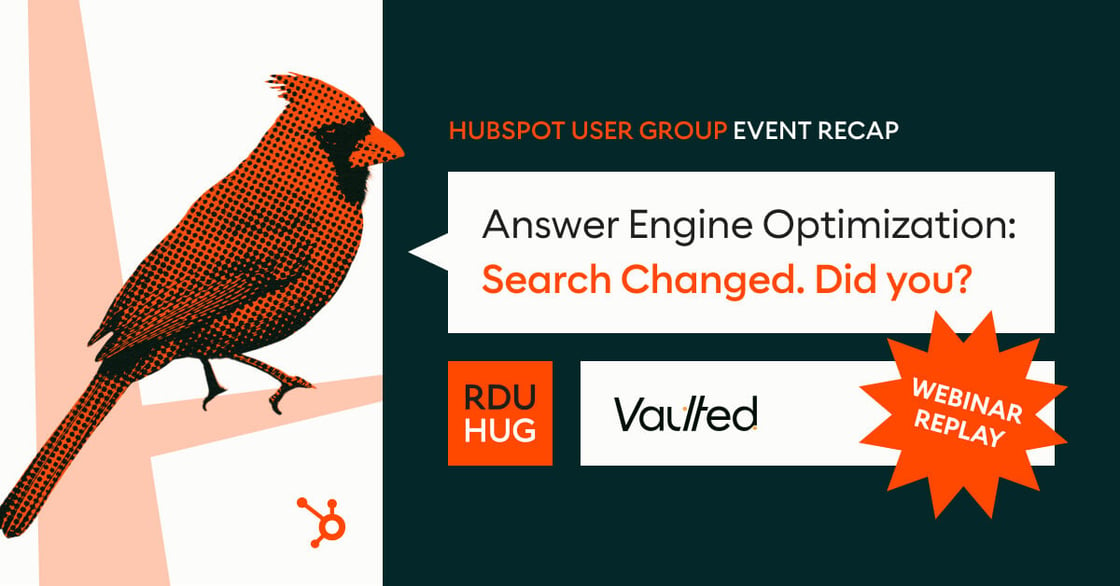
Watch: Our AEO Session from the Raleigh-Durham HUG
This is the replay of our first Raleigh–Durham HubSpot User Group session, Answer Engine Optimization: Search changed. Did you? The core reframe: AEO isn't about earning the click anymore — it's about earning the citation. AI engines increasingly answer your buyer's question outright, without ever sending a click your way, so the job becomes being the passage they quote and credit, not just the page they rank. And the biggest lever isn't even on your own site — branded mentions and earned media correlate with AI visibility roughly 3x stronger than backlinks.
 Matthew Deal

Answer Engine Optimization, Tested: What 471 NC B2B Sites Reveal About Getting Cited
the We relaunched the Raleigh-Durham HubSpot User Group with a live session on AI search—and to back it up, we audited the websites of 471 North Carolina B2B companies and ran 22 real buyer questions through an AI answer engine. The result: 96% of those sites are perfectly readable by AI crawlers—access was never the problem—yet on the questions their own buyers would ask, the companies were cited almost never. The answers went to Reddit, G2, Clutch, and the trade press instead. Answer engine optimization (AEO) isn't about unblocking crawlers or adding schema. It's about becoming the citable authority for a narrow category, and earning mentions in the places engines actually pull from. The full session is below, and the data is in this post.

Does HubSpot Marketing Hub Support Multi-Channel Marketing Campaigns?
What “multi-channel” means in HubSpot A multi-channel campaign in HubSpot isn’t five disconnected tools wearing a trench coat. The Campaigns tool ties your assets (marketing emails, social posts, ad campaigns, SMS sends, landing pages, blog posts, CTAs, forms, and workflows) to a single campaign object, so performance rolls up to one report instead of five spreadsheets.