

Quick answer: A HubSpot portal audit is a structured review of your HubSpot account: data quality, properties, lists, workflows, integrations, users, and reporting. It shows what is broken, what is unused, and what to fix first. Most organizations should run a full audit once a year. Vaulted, a Gold HubSpot Solutions Partner in Raleigh, North Carolina, offers two levels: a free Portal Health Check as a first look, and a full HubSpot audit that costs about $4,000, takes about two weeks, and ends with a three-phase action plan.
Your HubSpot portal is a critical component of your marketing and sales operations, but, like any complex system, it requires regular maintenance to ensure peak performance.
That's where a HubSpot portal audit comes in. This systematic review of your account identifies areas for improvement, streamlines processes, and maximizes the effectiveness of your efforts. With a step-by-step HubSpot audit, you can uncover hidden opportunities and address pain points unique to your organization.
In this article, we’ll break down everything HubSpot administrators need to know about conducting a HubSpot audit, so you can optimize your HubSpot processes for maximum efficiency and growth.
What is a HubSpot Audit?
A HubSpot audit is a comprehensive assessment of how your HubSpot portal is functioning, aimed at identifying areas of improvement and potential for process optimization. This evaluation involves a meticulous review of your HubSpot settings, processes, and data to ensure they align with your business goals, allowing your HubSpot account to be utilized to its fullest potential.
The HubSpot audit process typically includes the following key components:
- Marketing and Sales Automation Review: Examination of the automation workflows to ensure they are efficient and effective, aligning with your specific business objectives
- Content Audit: Thorough inspection of your blog posts, landing pages, and other content, including content performance analysis, helps identify opportunities for improvement
- Database Health Check: Assessment of your contact records for accuracy, consistency, and data quality, as well as identifying any data gaps
- Integration Review: Review of integrations, including native and custom integrations, between HubSpot and other tools
- Reporting Analysis: Assessment of the accuracy and relevance of your reports and metrics to measure success and shape your future strategy
The aim of a HubSpot audit is not just to rectify errors, but to uncover opportunities that will help your business grow and succeed. It allows you to take control of your HubSpot portal, ensuring that your marketing and sales efforts are as effective as possible.
By identifying and addressing any discrepancies or gaps in your HubSpot account, you can make data-driven decisions that will improve your processes and, ultimately, your results.
Remember, your HubSpot portal isn't just a tool. It's a partner in your success. Regular portal audits ensure that this partner is working in sync with your goals and delivering the best possible outcomes.
Why Does Your Organization Need a HubSpot Audit?
It can be hard to know when to conduct a HubSpot audit, because the need for an audit is driven by an organization’s growth and ongoing development plans. The precipitating need for an audit should be the desire to optimize performance and achieve documented success.

Over time, as business strategies evolve, your HubSpot portal and its processes need to also adapt to align with these changes. The natural evolution of your HubSpot portal can often lead to complexity, inefficiency, or even redundancy in your workflows or settings, which should be addressed by a proper audit.
The crucial pillars of a strong HubSpot audit include:
- Data: Accurate, quality data is essential for the successful use of your CRM and HubSpot portal. A thorough audit can help identify and address any data-related issues, ensuring the accuracy and reliability of your data.
- Automation: HubSpot audits are often performed when particularly complex internal or external automation is not working as intended. An audit can uncover any bottlenecks or issues in your automation processes and help optimize them for better efficiency.
- Maintenance: HubSpot is a living database with multiple data inputs and integrations, making regular cleaning and maintenance essential. A HubSpot portal audit can identify outdated information, streamline workflows, and optimize your settings for better performance.
These are the situations where we most often recommend an audit to clients:
- Incorrect implementation. We've seen accounts configured incorrectly from the start. Problems with conversion tracking, integrations, custom properties, or configuration usually trace back to setup.
- Data overwhelm. Accounts get bigger over time. HubSpot has hundreds of default contact properties, and we push clients to use those before adding custom ones. An audit shows which fields to clean up.
- Automation nobody understands. We've seen accounts with hundreds of workflows that no one on the team can explain. An audit documents what each one does and whether it still should.
- Reporting you can't trust. Sometimes the data is wrong, and sometimes the data is fine and the report is built wrong. An audit tells you which.
With a tailored and optimized HubSpot portal, you can make data-driven decisions that align with your business goals.
Conducting a HubSpot Audit: In-House vs. Partner-Assisted
As a HubSpot administrator, you’re likely tasked with the decision of whether to conduct your HubSpot audit internally or to consult an experienced HubSpot partner such as Vaulted, and that decision can make a significant impact on the future of your account. Let's weigh the pros and cons of each approach.
Internal HubSpot Audits
By performing the audit in-house, your team can have complete control over the process. Your team, being intimately familiar with your business, is well-acquainted with the specific requirements and challenges of your processes, and they can be assisted by following a step-by-step HubSpot audit checklist.
However, internal audits come with a few potential pitfalls:
- Time and Resources: Conducting an audit is time-consuming and requires specific expertise. Your team may need to put their regular tasks on hold to focus on the audit.
- Lack of Fresh Perspective: Being closely associated with the system, your team might overlook certain inefficiencies or issues, missing out on opportunities to enhance performance.
- Limited Knowledge: HubSpot is a complex tool with seemingly endless functionalities and regular updates. Unless your team members are committed to staying up-to-date as HubSpot experts, they might not be able to leverage the platform’s full potential.
Internal HubSpot audits are great tools to incorporate as part of regular process reviews, giving you insight into any major issues or opportunities available to your account. By following a HubSpot audit checklist, your team members can get better insight into how your account is currently performing.
Partner-Assisted HubSpot Audits
On the other hand, hiring a HubSpot partner like Vaulted to conduct a HubSpot audit carries its own advantages, including:
- Expertise: HubSpot Solutions Partners are experts in the platform, with in-depth understanding and experience in conducting thorough audits. They can uncover hidden opportunities and address pain points that may go unnoticed by internal teams.
- Fresh Perspective: An external partner brings a fresh set of eyes to your HubSpot portal. They can provide unbiased insights and recommendations based on best practices and industry benchmarks.
- Time Savings: Partner-assisted audits save your team's time and allow them to focus on their core responsibilities.
- Data-Driven Approach: Partners like Vaulted take a data-driven approach, ensuring transparency and measurability in their solutions.

The one downside organizations weigh with a partner-assisted audit is cost, which the next section covers.
How Much Does a HubSpot Audit Cost?
At Vaulted there are two levels, and the first one is free.
- Portal Health Check (free). A first look at your portal. You fill out a short survey, we review five areas (data quality, feature usage, automation, integrations, and users), and you get a one-page summary in about three business days, followed by a 30-minute call. You'll know what to fix first before you spend anything.
- Full HubSpot audit (about $4,000). A deeper review that takes about two weeks. It covers your data one object at a time (up to five core objects), your integrations and connected systems, your automation, and your account settings and features. It ends with a three-phase action plan that your team or ours can carry out.
To start with the free option, request your free Portal Health Check.
How Vaulted Runs a HubSpot Audit
When a client comes to us for help with their HubSpot account, we usually start with an audit. Like a regular physical at the doctor, it's a checkup of all your systems to find out what's wrong before prescribing anything. A full audit has four steps.

1. Discovery and Strategy Session
We start by understanding your business, the challenges you're facing, and the goals you're aiming for. We also hear from different parts of your team about their pain points. This sets the objectives of the audit and clear expectations for every stage.
2. Deep Dive into Your Portal
Next, we go through your account in detail. That includes:
- Duplicate records: where duplicate contacts and companies exist and how much cleanup is needed.
- File management: how many files you have, what's in use, and what's outdated.
- List management: which lists are in use and the state of the rest.
- Properties: how many properties you have and whether they help or hinder your campaigns and processes.
- Workflows: what's running, what isn't, and whether each workflow works for or against you.
- Forms: your current forms, the data they collect, and any that are unused.
- Integrations: which apps are connected, how they're used, and whether any are no longer needed.
- Account users and access: who has access, at what level, and who no longer should.
- Campaign effectiveness: email, social, and website analytics.
- Documentation: what's written down about your processes and where the gaps are.
3. Reporting
We turn that data into a report built around the goals from the discovery session. When we present it, we walk through what's meeting your goals, what isn't, and why.
4. A Three-Phase Action Plan
The audit ends with a plan in three phases: critical fixes first, then feature adoption or new build-out, then advanced features. Each phase comes with details and timelines, and your team or ours can do the work. If you choose to keep working with us afterward, we follow the plan with ongoing monitoring and regular reporting so issues are caught as they arise.
The Importance of Regular HubSpot Audits
Regular HubSpot audits play a crucial role in maintaining data accuracy, optimizing workflows, and aligning with evolving business requirements. Regardless of the size of your account or the availability of administrators, it is highly recommended to conduct comprehensive audits on an annual basis. Additionally, implementing ongoing mini-audits at regular intervals can provide continuous improvements.
For organizations without dedicated HubSpot administrators, the significance of audits becomes even more pronounced. By proactively identifying and addressing potential issues, you can maximize the value and impact of your HubSpot account, even without dedicated administrators.
Incorporating New HubSpot Features
HubSpot audits also provide the opportunity to incorporate new or updated HubSpot features. One of the biggest benefits of using HubSpot as a CRM is the platform’s commitment to continual improvement and development, with new and improved features being regularly released. A HubSpot audit can help you identify which features will work well with the current operations you have in place.

For example, HubSpot's AI tools can help with generating new content and social captions, which could be a great fit for HubSpot administrators who are struggling to keep up with regular content creation.
Tailoring the Audit to Your HubSpot Hubs
A strong HubSpot portal audit will be tailored to your account’s unique setup, as most businesses use a combination of the different HubSpot products, known as Hubs. The HubSpot Hubs include:
- Marketing Hub®
- Sales Hub®
- Service Hub®
- Content Hub®
- Data Hub (formerly Operations Hub®)
- Commerce Hub™
Let’s break down the basics of a portal audit for the most commonly used HubSpot Hubs: Marketing, Sales, Service, and Content Hub.
HubSpot Marketing Hub® Audit
HubSpot Marketing Hub® users may face challenges related to lead generation, email marketing automation, and campaign performance tracking. A tailored HubSpot audit for the Marketing Hub® will focus on evaluating how easily your prospects can move through the buyer’s journey and how successful your marketing efforts are.
While your audit should be tailored to your specific needs, some aspects of a HubSpot Marketing Hub® audit checklist may include:
- Create and implement buyer personas for effective segmentation and personalization
- Analyze email deliverability and performance
- Identify opportunities for new workflows
- Test and optimize lead capture forms
- Enhance current email workflows by evaluating performance
- Implement advanced reporting and analytics to measure website traffic and campaign success
- Consider areas to implement A/B testing, such as CTAs and subject lines
- Utilize the lead scoring system effectively
- Update topic clusters to identify SEO opportunities
- Clean the contact database by removing outdated information, merging duplicate contacts, and organizing properties
HubSpot Sales Hub® Audit
For users with HubSpot Sales Hub®, pain points may involve deal pipeline management, contact segmentation, and sales email templates. During a customized HubSpot portal audit, we carefully analyze these areas and provide recommendations to improve your sales process and better support your sales team.
A HubSpot audit that focuses on the Sales Hub® will likely include some of the following steps:
- Reviewing deal stages and pipelines
- Breaking down your deals pipeline step-by-step to evaluate performance
- Auditing custom fields on deals
- Examining sales team actions and identifying potential areas of improvement
- Checking the operation of any automation and evaluating sequence performance
- Reviewing core sales features like Target Accounts and Forecasting
- Implementing reporting and analytics based on the goals and needs of your sales team
HubSpot Service Hub® Audit
The HubSpot Service Hub® can help you provide exceptional customer service through flexible channels, without overloading your team with hefty workloads. If there are flaws in your Service Hub®, though, you could be letting down your customers. A thorough portal audit can help avoid this scenario.
A typical HubSpot audit of the Service Hub® may include tasks like:
- Evaluate your ticketing process for maximum efficiency
- Test ticket routing and automation rules
- Organize and update Knowledge Base articles
- Thoroughly examine customer feedback and share with appropriate stakeholders
- Implement new customer feedback processes where appropriate
HubSpot Content Hub® Audit
The Content Hub allows you to build and manage your website and its content with easy optimization to maximize organic traffic and user conversion. Like with any website, regular audits can uncover potential problems or missed opportunities.
An audit of your Content Hub may include the following steps:
- Ensure consistency in design and branding
- Connect to Google Search Console for maximum insight
- Review crawling and indexing for any potential errors
- Identify opportunities for personalization
- Check that all tracking and integration tools are working properly
- Review SEO recommendations to improve organic search rankings
- Implement comprehensive reporting to monitor the ongoing performance of your website
How to Get Started with a HubSpot Audit
Organizations often prioritize specific features of HubSpot while neglecting others. During our audit process, we consider your organization's unique business patterns and address both the identified pain points and any untapped potential within your HubSpot portal.
While your industry doesn't directly impact the audit process, the specific HubSpot products your organization uses certainly do. For example, accounts like Sales Hub Professional or Marketing Hub Professional, commonly used by medium-sized organizations, may present fewer complications during the audit process, thus requiring a simpler HubSpot audit checklist.
However, the size and complexity of the account can significantly influence the audit process. Large, enterprise-level accounts, with their multitude of complex data points and workflows, require a more extensive portal audit.

Ready to Maximize Your HubSpot ROI?
Ensure your HubSpot portal is performing at its best. Identify growth opportunities, resolve hidden inefficiencies, and set your team up for sustained success with an expert audit by Vaulted, a Gold HubSpot Solutions Partner.
If you have 300 workflows, for instance, you’ll want to set up a HubSpot audit checklist to ensure that you review them periodically. We recommend managing these audit checklists in batches or waves to maintain efficiency without feeling overwhelmed.
7 Common HubSpot Mistakes Found by Audits
In our experience at Vaulted, certain situations commonly arise during a HubSpot portal audit. Here's a closer look at these areas and how we address them.
1. Deleted Users
Cleaning up deleted users is a frequently overlooked task, but it's crucial for maintaining data hygiene and ensuring the accuracy of your account.

By effectively managing users, you can ensure that your account only includes relevant and active users, improving overall data quality and account performance.
2. Static Lists
Deleting static lists is often overlooked, despite its crucial role in maintaining data hygiene and ensuring account accuracy. Since static lists are often single-use, effectively managing them guarantees that your account only contains relevant and active lists. This not only enhances data quality but also optimizes account performance.
3. List Creation Process
As a HubSpot administrator, you likely manage or delegate HubSpot list creation and the types of lists that are created. As standard operating procedure, your HubSpot lists should be well-organized, categorized in labeled folders, and aligned to efficient list management practices.
4. Workflow Management
HubSpot workflows serve as incredibly effective automation tools that can significantly streamline operations. However, without proper organization and management, these workflows have the potential to become overwhelming to even the most experienced HubSpot administrator.

Dealing with workflows that encompass various objects, data copying, and conditions for unenrollment and reenrollment can present complex considerations for HubSpot administration.
5. Custom Properties
Custom properties capture unique data specific to your business, aligning with reporting and segmentation needs. HubSpot custom fields offer a specialized approach to data collection, addressing attribution and identifying lead sources.
However, an overabundance of fields can cause confusion and obscure vital information. A thorough HubSpot audit will allow you to review your custom fields, simplify, and streamline for clarity.
6. Data Quality
Clean and accurate data is the cornerstone of effective marketing and sales operations. A HubSpot audit can help identify any data quality issues and establish robust processes to enhance data integrity.

For example, one common data quality issue in HubSpot is duplicate records. Duplicates can lead to confusion and miscommunication, and undermine your marketing or sales strategies. Deduplication helps identify and resolve these issues, giving you a solid foundation for data-driven decisions.
7. Lifecycle Stages
Lifecycle stages are fundamental components for organizations in HubSpot. They serve as a framework to describe the current position of contacts in their sales or marketing journey. By aligning your contacts with the most suitable lifecycle stages during a HubSpot audit, you can tailor your approach to the needs and behaviors of your contacts throughout their entire customer lifecycle.
Lifecycle stages hold significant value for both sales and marketing teams. Marketing teams using HubSpot frequently are charged with producing marketing qualified leads, while the sales team uses lifecycle stages to know when to engage with potential leads and for tracking the contacts they are working with.
Explore How a HubSpot Portal Audit Can Help Your Business
A HubSpot audit relieves organizational pain points and uncovers new opportunities for optimized marketing and data-driven sales. After a successful HubSpot portal audit, you can have confidence in the system your sales, marketing, and service teams depend on.
Do you think your HubSpot account needs an audit? Not sure? Start with the free option: request your free Portal Health Check, or start a conversation with Vaulted, a Gold HubSpot Solutions Partner in Raleigh, North Carolina.
Unlock Your HubSpot’s Full Potential
Gain deeper insights and optimize your portal. Discover hidden opportunities, enhance performance, and accelerate growth with a personalized HubSpot audit by Vaulted, a Gold HubSpot Solutions Partner.
Discover More Insights

The Best Web Design Agencies in Raleigh and Charlotte (And How to Pick the Right One)
Quick answer: The best web design agencies in Raleigh and Charlotte are Vaulted (B2B companies that need a website tied to HubSpot and lead generation), TheeDigital (WordPress plus marketing under one roof), Straight North (eCommerce and lead generation at scale), Lazarus Design (custom builds for small and mid-sized businesses), Four Eyes (direct access to senior WordPress developers), Imaginovation (custom software and web applications), and Walk West (enterprise, nonprofit, and public sector). At Vaulted, websites start at $9,000 and most projects run $20,000 to $50,000.
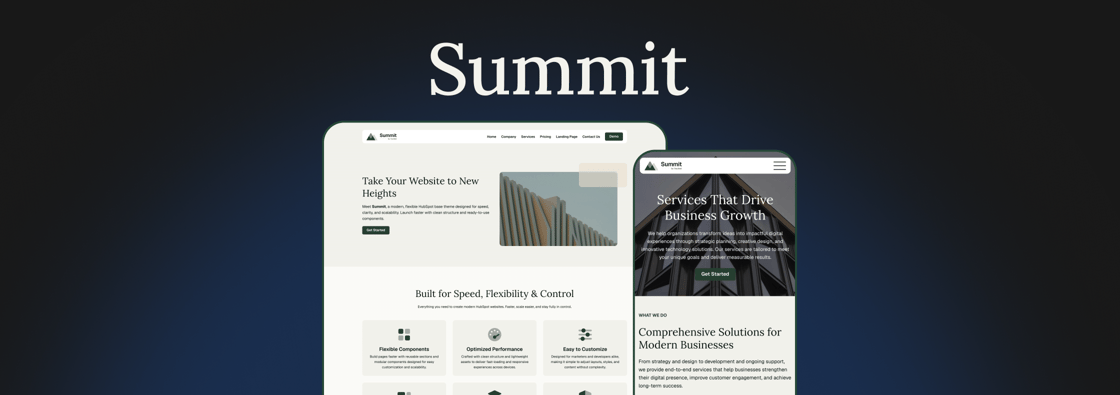
11 Things We Learned Getting Our First Theme onto the HubSpot Marketplace
We just got our first theme approved on the HubSpot Template Marketplace. It's called Summit, it's free, and it's the same base theme we've been starting client sites from for a while now.
 Emily Davidson

AI That Designs Inside Your Brand, Not Around It
Every blog post needs a thumbnail. For a team publishing every week, that small task adds up. The usual options each have a catch. A designer can build every image by hand, but then the designer becomes the bottleneck. Templates are fast, but after a few months every post looks the same. AI image generators are faster still, but what they produce is off-brand, inconsistent, and impossible to edit.